Made in Science Podcast #44 — University of Stuttgart

Made in Science Podcast #44 — Engineering is like cooking and art

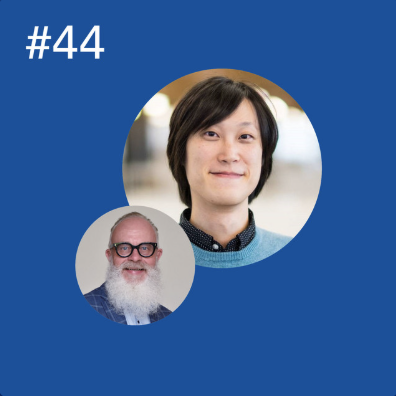
Happy to be featured in the latest episode of the University of Stuttgart’s Made in Science podcast! 🎙️ It was a pleasure discussing the intersection of 3D computational geometry and architecture, and sharing my journey as a designer, engineer, and scientist. I also enjoyed talking about a few of my personal hobbies and how they connect to my work. Dr Gene Ting-Chun Kao, an R&D engineer from Stockholm and ITECH alumnus, discusses 3D computational geometry, architecture, and how engineering is like cooking and art. ...

November 1, 2024 · 1 min · Gene Ting-Chun Kao
PhysX.GH demo

PhysX.GH

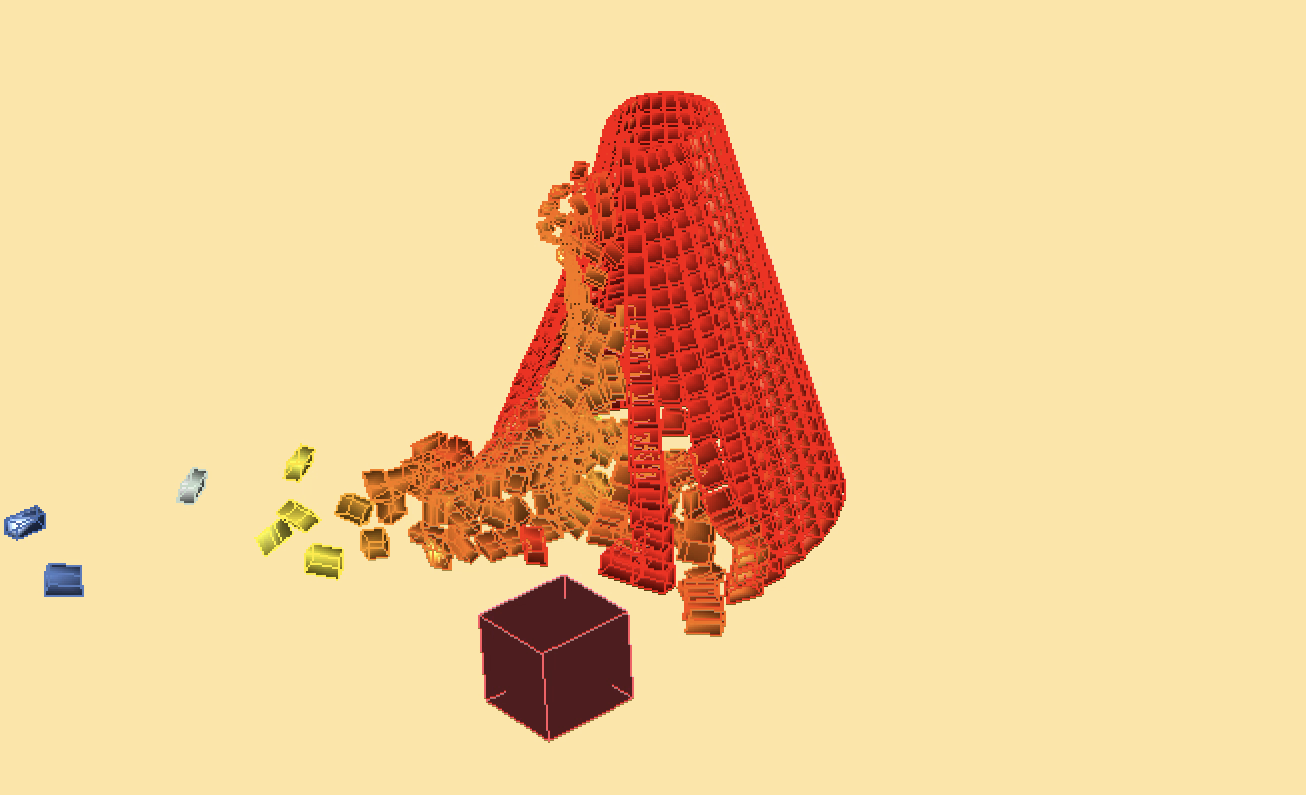
About PhysX.GH is a rigid body simulation tool for Grasshopper. It uses open source real-time physics engine NVIDIA PhysX and a C# wrapper from stilldesign/PhysX.Net. It runs with GPU and provides users with fast simulation results. Download: https://www.food4rhino.com/app/physxgh Forum: https://www.grasshopper3d.com/group/physx-gh License PhysX.GH © 2016-2020 Gene Ting-Chun Kao, Long Nguyen and The Asian Coders.

January 1, 2019 · 1 min · Gene Ting-Chun Kao
Video thumbnail

Assembly-aware design of masonry shell structures: a computational approach

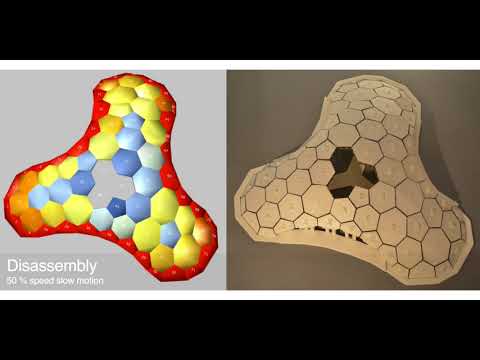
Abstract This paper proposes a workflow for Assembly-Aware Design (AAD) of masonry shell structures and introduces an interactive tool in a CAD environment to assist the design process while simulating the step-by-step assembly of masonry blocks. Thus designers can explore the design space of masonry shell structures and be aware of structural performance before the assembly phase, at the early design stage. Masonry shell structures are an old construction technique, which has recently received a lot of attention due to new computational methods. Even though the form of such a structure is optimised for structural performance, its incomplete form during construction often requires the support of falseworks, which can be extensive, costly and time-consuming. To tackle this unsolved problem, we developed an assembly strategy that significantly reduces the falsework usage while still maintaining the equilibrium of the incomplete shell at each assembly step. The key idea is to compute a disassembly strategy inspired by the Jenga game and then reverse it to obtain the actual assembly sequence of the masonry blocks. Rather than using discrete element methods to predict the structural behaviour of the masonry blocks, we employed the GPU-based rigid-body dynamic solver from the engine NVIDIA PhysX, this allows very fast computation speeds while still offering sufficient accuracy for our purposes. Finally, we verified our method using small-scale 3D printed models. ...

October 3, 2017 · 2 min · Gene Ting-Chun Kao
Video thumbnail

ICD/ITKE Research Pavilion 2015-16 - development and implementation demo

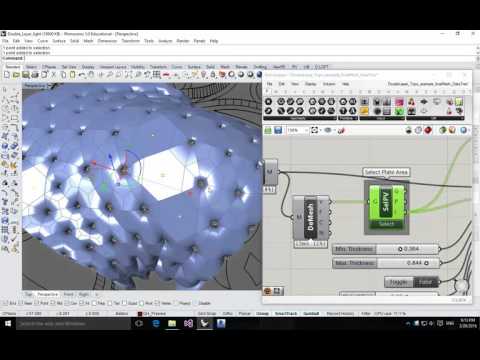
I was in the computational design team while designing the ICD/ITKE Research Pavilion 2015-16 and was mainly in charge of developing computational tools. Here is the demonstration video to show the geometrical implementation. One of the input parameters from the plugin is a mesh surface, and the output parameters are all tree data structure thus some double-layer light weight structure as well as some planar plates can be generated (Planar plate wasn’t realized due to the decision making and scheduling during the development). All the geometries are labeled in the right sequence so they can be fabricated directly: ...

October 30, 2016 · 1 min · Gene Ting-Chun Kao
The Construction of Gothic Cathedrals

Master Thesis Reading

My reading list when writing master thesis at Stuttgart University. Master Thesis Reading – Steering Behavior For Autonomous Characters Master Thesis Reading – The Construction of Gothic Cathedrals Master Thesis Reading – Steering Behavior For Autonomous Characters Master Thesis Reading List – 2 Steering Behavior For Autonomous Characters Author: Craig Reynolds (Paper Download) Abstract: This paper presents solutions for one requirement of autonomous characters in animation and games: the ability to navigate around their world in a life-like and improvisational manner. These “steering behaviors” are largely independent of the particulars of the character’s means of locomotion. Combinations of steering behaviors can be used to achieve higher level goals (For example: get from here to there while avoiding obstacles, follow this corridor, join that group of characters…) This paper divides motion behavior into three levels. It will focus on the middle level of steering behaviors, briefly describe the lower level of locomotion, and touch lightly on the higher level of goal setting and strategy. ...

December 15, 2015 · 2 min · Gene Ting-Chun Kao
LaTeX thesis writing

Writing a thesis with LaTex

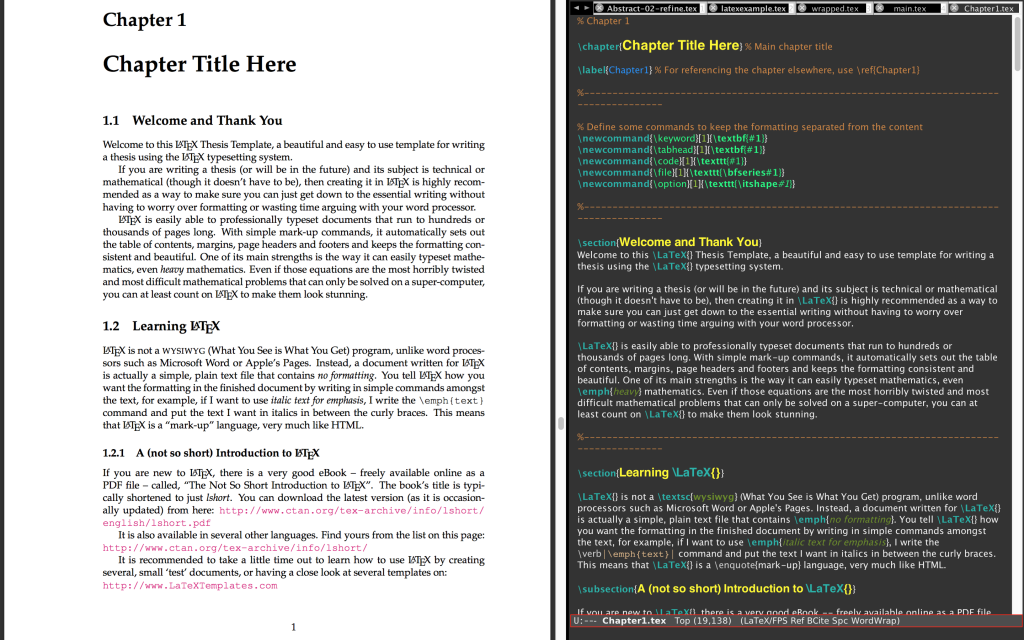
Currently I am starting my master thesis, and a tool that I am trying is called Latex. After googling for a while, tonnes of tools and tutorials came up. In my opinion, Latex is super easy and convenient. I especially like its philosophy “Concentrate on Content not on Layout.” It is so convincing that when we are doing our research or write our document we should concentrate on its content instead of its layout. Architect normally spend too much time of making things pretty instead of making them useful(or making them work). At the end, I decided to choose my favourite editing tool Aquamacs, the Emacs for the mac, to write it, because it is already integrated with LaTex and its extensions AUCTeX, preview-latex and flyspell. I also recommend everyone who interested in these tools to try this thesis template as well. Masters/Doctoral Thesis which is super elegant and convenient. Here is my screenshot of using LaTex in Aquamacs: ...

November 8, 2015 · 1 min · Gene Ting-Chun Kao
Rhino.Python Swarm Bridge

Rhino.Python

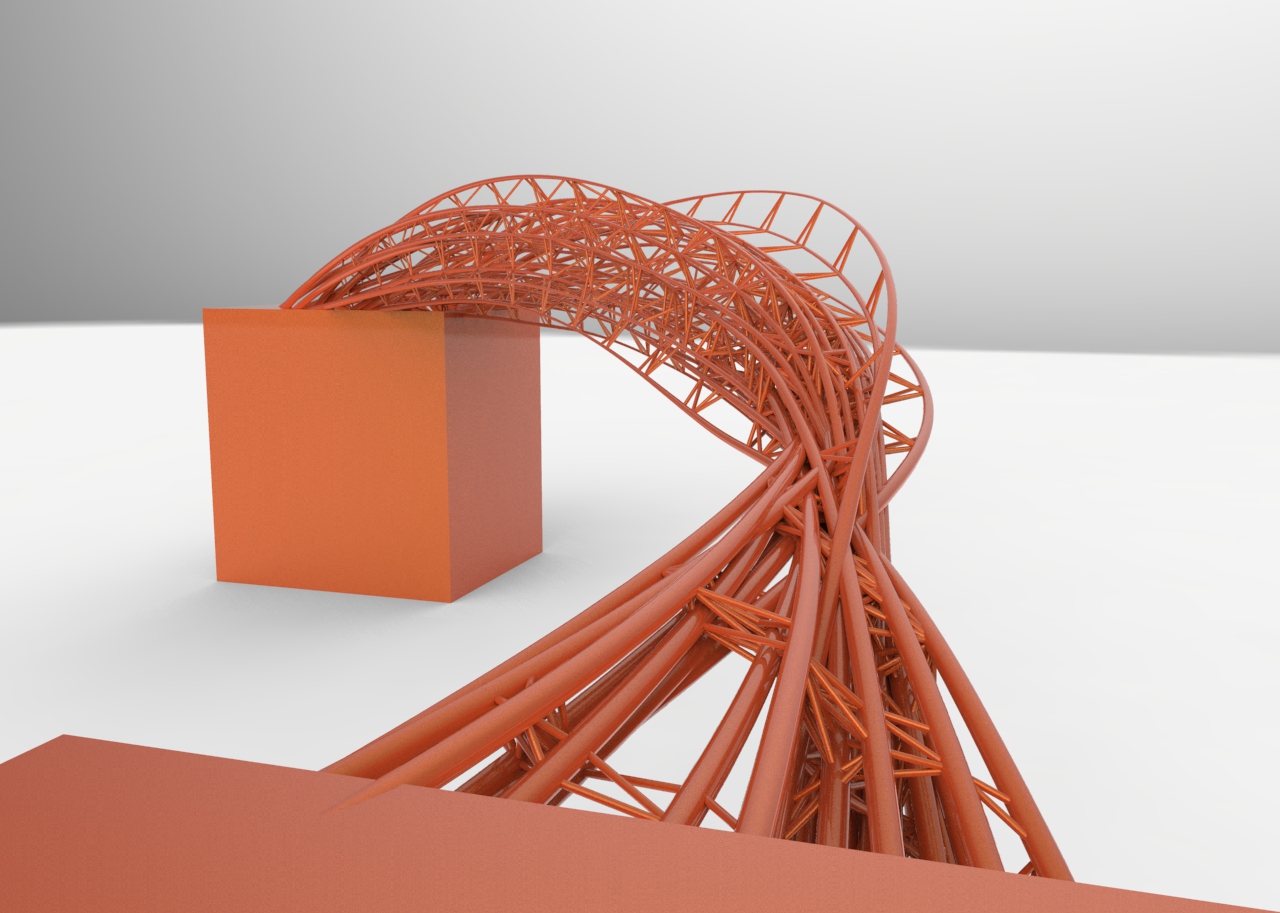
These are my Rhino.Python practice while I studied at Stuttgart University. Rhino.Python - 1D 2D 3D Rhino.Python - Swarm bridge Rhino.Python - tessellation and subdivision Rhino.Python - Boy Surface and subdivision Rhino.Python - 1D 2D 3D """ #################################################################### Computational Design Assignment 02 Kao, Ting-Chun Assignment to use for loop #################################################################### """ from scriptcontext import doc, escape_test import rhinoscriptsyntax as rs import Rhino.Geometry as rg import Rhino.DocObjects as rd import Rhino import time import System.Guid as guid import System.Drawing as sd import math import random dimension = rs.GetInteger("give me one to three dimension: ", 2, 1, 3) print(dimension) # some functions def PtMat(x, y, z): pt = rg.Point3d(x, y, z) materialIndex = doc.Materials.Add() material = doc.Materials[materialIndex] if dimension == 2: if x > 0 and y>0 and z>0: material.DiffuseColor = sd.Color.FromArgb(y/5*255*0.5, y/5*255*0.5, y/5*255) else: material.DiffuseColor = sd.Color.FromArgb( 255, abs(math.sin(x))*255, 255) material.CommitChanges() attr = Rhino.DocObjects.ObjectAttributes() attr = rd.ObjectAttributes() attr.MaterialSource = Rhino.DocObjects.ObjectMaterialSource.MaterialFromObject attr.MaterialIndex = materialIndex if dimension == 2: sphere = rg.Sphere(pt, (y+5)/5) elif dimension == 3: sphere = rg.Sphere(pt, 0.2) else: sphere = rg.Sphere(pt, 2) if doc.Objects.AddPoint(pt, attr) != guid.Empty: doc.Objects.AddSphere(sphere, attr) return pt def noneLoopPt(): pt = PtMat(i*math.sin(5*i), i*math.cos(5*i), i) return pt def oneLoopCrv(): pts = [] for x in range(50): y = math.sin(x) * math.sin(i) pts.append(PtMat(5*x, 5*y, 5*i)) crv = rs.AddCurve(pts) return crv def twoLoopCrv(): pts = [] crvs = [] for x in range(30): for y in range(40): a = ( i + math.cos(x/2)*math.sin(y) - math.sin(x/2)*math.sin(2*y) ) * math.cos(x) b = ( i + math.cos(x/2)*math.sin(y) - math.sin(x/2)*math.sin(2*y) ) * math.sin(x) c = 10*math.sin(x/2)*math.sin(y) - math.cos(x/2)*math.sin(2*y) pts.append(PtMat(a, b, c)) crv = rs.AddCurve(pts) crvs.append(crv) return crvs def threeLoopSrf(): # haven't getten any idea to having a good one. return 0 def drawTime(): FPS = 30 last_time = time.time() # setup variables global i i = 3 curves = [] pts = [] # whatever the loop is... while True: # draw animation if dimension == 3: i += 3 else: i += 1 # pause so that the animation runs at 30 fps new_time = time.time() # see how many milliseconds we have to sleep for # then divide by 1000.0 since time.sleep() uses seconds sleep_time = ((1000.0 / FPS) - (new_time - last_time)) / 1000.0 if sleep_time > 0: time.sleep(sleep_time) last_time = new_time if dimension == 2: crv = oneLoopCrv() curves.append(crv) if i > 20: rs.AddLoftSrf(curves) break elif dimension == 3: curves = twoLoopCrv() escape_test() else: pt = noneLoopPt() pts.append(pt) if i > 80: #rs.AddLoftSrf(curves) rs.AddCurve(pts) break escape_test() def main(): drawTime() if __name__ == "__main__": main() Rhino.Python - Swarm Bridge Swarm Behavior + Attractor : Agent methods: 1. Align : Move in the same direction as your neighbours. 2. Cohesion : Remain close to your neighbours. 3. Seperation : Avoid collisions with your neighbours. Attractor methods: (Controlling the shape) From starting points move to target points to create bridge. Using swarm simulation in Grasshopper is in this post: Swarm Python GH Component ...
November 30, 2014 · 11 min · Gene Ting-Chun Kao