Robotic Force Printing - MIT Design-Build Workshop 2019

I was part of the teaching team at MIT Design-Build Workshop 2019 in Shanghai for a month, a joint workshop from MIT Architecture, ETH Zurich Block Research Group, and Tongji University. The workshop explores robotic additive manufacture and assembly of novel shell structures. More information can be found here on the BRG website. Teaching materials can also be found on our GitHub repo. With students from both Massachusetts Institute of Technology (MIT) and Tongji University, we built two projects. ...
February 1, 2019 · 1 min · Gene Ting-Chun Kao

ICD/ITKE Research Pavilion 2015-16 - development and implementation demo

I was in the computational design team while designing the ICD/ITKE Research Pavilion 2015-16 and was mainly in charge of developing computational tools. Here is the demonstration video to show the geometrical implementation. One of the input parameters from the plugin is a mesh surface, and the output parameters are all tree data structure thus some double-layer light weight structure as well as some planar plates can be generated (Planar plate wasn’t realized due to the decision making and scheduling during the development). All the geometries are labeled in the right sequence so they can be fabricated directly: ...

October 30, 2016 · 1 min · Gene Ting-Chun Kao
Butterfly Effect Pavilion

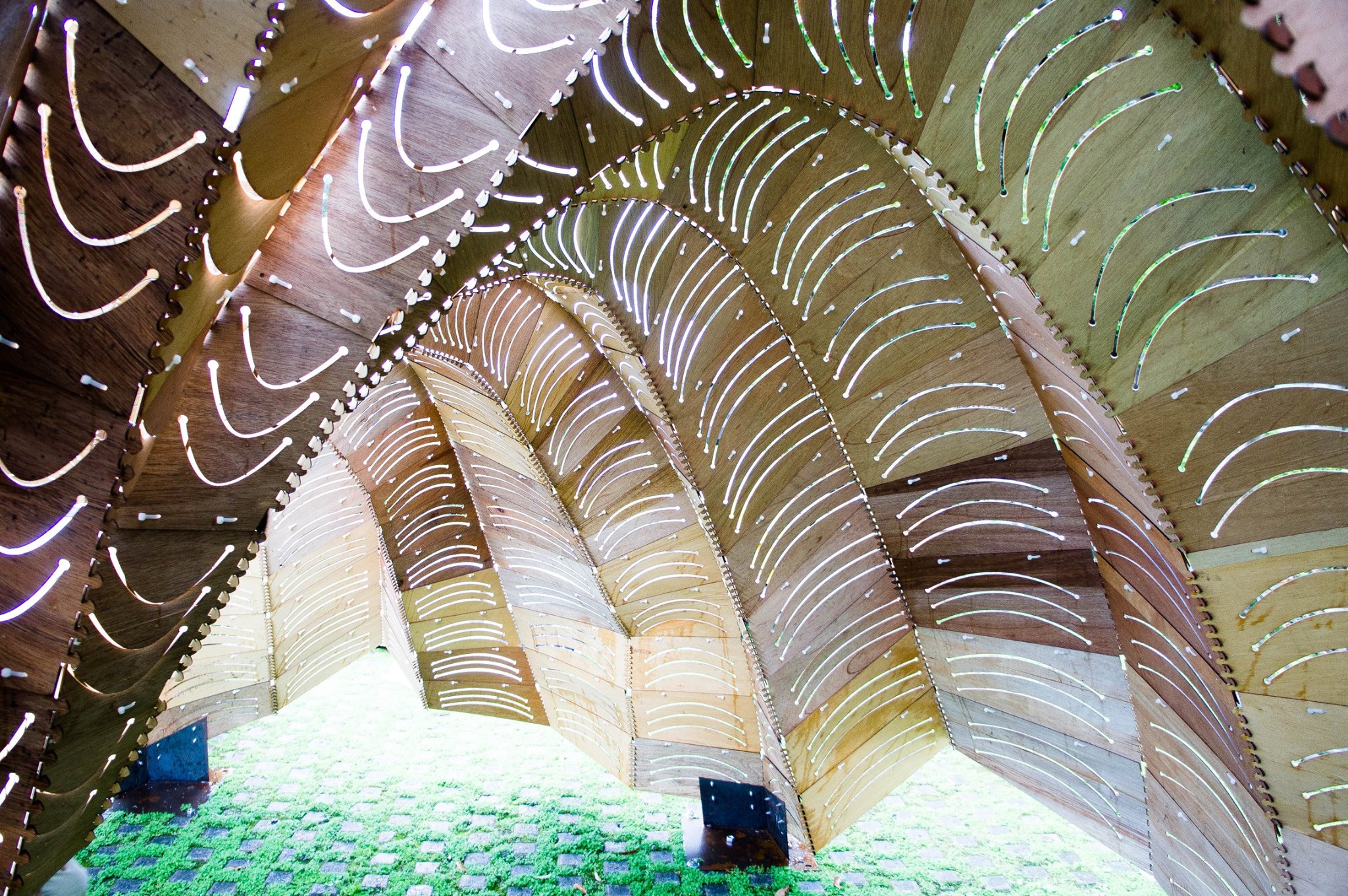
Butterfly Effect Pavilion in I-Lan Green Expo 2014

–蝶跡– Description: 蝶跡的設計啓發於蝴蝶幼蟲,生長成蝴蝶展翅瞬間的造型,以用於圍塑空間形態以及外觀紋理。在結構上也與蝴蝶翅膀振動為靈感之啓發,以最輕薄的木夾板去挑戰材料之彎曲性與結構性,進而產生動態平衡。另外在構造上運用電腦運算技術使複雜造型由416片單元組合而成,以極簡的拉鍊扣合做法連接單元與單元進而產生極複雜細部,在正反的拱肋結構演算下,整體重量平均分攤至7個底座,使整體結構輕量化。 實際走入蝶跡展示庭,空間經驗上,太陽撒入木板因彎曲曲度而刻畫的開口中,微風飄動過整體結構,結構體輕輕飄動而陽光如在樹蔭下似閃爍,就像蝴蝶翩翩起舞輕過留下痕跡一般優雅。 –pavilionButterflyEffect_Geometry– Not-found –pavilionButterflyEffect_step01 Definition– –pavilionButterflyEffect_step02 Definition– –pavilionButterflyEffect_step03 Definition– Not-found –pavilionButterflyEffect_step04 Definition– Not-found –Geometry Size Selection Filter Python Code– ### --Written by Gene Ting-Chun Kao-- ### import rhinoscriptsyntax as rs ids = rs.GetObjects("select surfaces", rs.filter.polysurface) area = rs.GetInteger("selected area limits", 10, 0) rs.EnableRedraw(False) print "Results: All", len(ids), "surfaces selected." Count = 0 for i in ids: b = rs.SurfaceArea(i) if b: if b[0] < area: rs.SelectObject(i) Count += 1 print "Results: Get", Count, "small objects." rs.EnableRedraw(True)

June 26, 2014 · 1 min · Gene Ting-Chun Kao